
Edit Text In Photo - Forgeit 是 Ebenezer Oteng 开发的 iPhone / iPad 图形与设计应用。 截至 2026年10月25日,优惠类型:内购限免。 使用兑换码 FORGEIT131 可免费解锁,兑完即止。 Edit Text In Photo - Forgeit 已在 GroveTab 上出现过 2 次优惠,最近一次是 2026年10月25日。
兑换码
兑换码数量有限。若提示已被使用,说明已兑完。


- 开发者
- Ebenezer Oteng
- 类别
- 图形与设计
- 平台
- iPhone, iPad
- 要求
- iPhone 17.6+
- 评分
- 2.5 ★ (6)
- 添加于
- 2026年10月25日
关于此应用
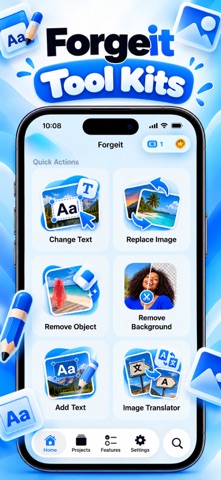
ForgeIt – Edit Text in Photos Change the words in any screenshot or photo. Import an image, tap the text you want to change, and type something new. ForgeIt finds the text for you, then edits it in place so it sits naturally in the picture. CHANGE TEXT IN A TAP • Smart OCR finds the text in your image automatically • Tap any line to edit, replace or erase it • Missed a spot? Draw around it and edit it anyway • Pick fonts, colors and sizes, with bold, italic, underline and strikethrough • Pinch to zoom up to 6x for precise work • Press and hold to compare with the original • Undo and redo any change • Export in high quality AI REDRAW When text sits on a photo, a gradient or a textured background, a plain overlay looks pasted on. AI Redraw repaints your new text into the image, matching the original font, size, weight and color. You get a free edit to try it. Pro includes monthly credits, and extra credit packs are available any time. MORE THAN TEXT • Replace Image: select a picture or element and swap it for another • Remove Object: mark what you don't want and it's gone • Remove Background: cut out your subject. Always free, never gated • Add Text: put text, stickers and pictur
优惠记录
Edit Text In Photo - Forgeit 已在 GroveTab 上出现过 2 次优惠,最近一次是 2026年10月25日。
- 内购限免
- 内购限免 –
FORGEIT131
价格随时可能变化。下载前请在 App Store 确认价格。


